This guide will help you create eye-catching YouTube thumbnails using AI technology, a method that can significantly improve your video engagement. I’ve honed my process over the years, and I’m excited to share my tips on quickly designing effective thumbnails that stand out. With the right tools and a few strategic choices, you can enhance your thumbnails and ultimately boost your click-through rates and subscriber numbers. Let’s investigate how you can leverage AI to elevate your YouTube channel’s visual appeal!
Key Takeaways:
- Thumbnail Design Process: Use AI tools like Chat-GPT to generate high-quality images for YouTube thumbnails quickly and effectively.
- Canva Integration: Enhance your thumbnails by uploading AI-generated images to Canva, where you can customize fonts, elements, and colors easily.
- Descriptive Prompts: Create compelling visuals by being specific in your prompts for AI image generation, focusing on aspects like beings, colors, and dimensions.
- Experimentation is Key: Explore different styles and elements in your thumbnails to find what resonates with your target audience for increased engagement.
- Top AI Tools: Utilize the five best AI YouTube thumbnail makers, including Canva Pro, to streamline the design process and enhance creativity.
A
Understanding the Importance of YouTube Thumbnails
As a YouTuber, I’m well aware that thumbnails are more than just images; they are powerful marketing tools that influence viewers’ choices. A compelling thumbnail can set your video apart from countless others, effectively inviting potential viewers to click and engage with your content. Getting this right can significantly impact your channel’s growth and reach.
The Role of Thumbnails in Video Performance
Video thumbnails serve as the first impression for your content, drawing viewers in and setting the tone for what they’ll experience. The right thumbnail can increase your video’s visibility, making it crucial for capturing audience attention in a crowded platform.
Key Factors Influencing Click-Through Rates
There’s no denying that click-through rates can make or break your video’s success. Several key factors can optimize your thumbnails for maximum impact:
- Visual Appeal: Eye-catching designs and colors draw attention.
- Text Clarity: Clear, bold text enhances readability.
- Relevance: The thumbnail should represent the video content accurately.
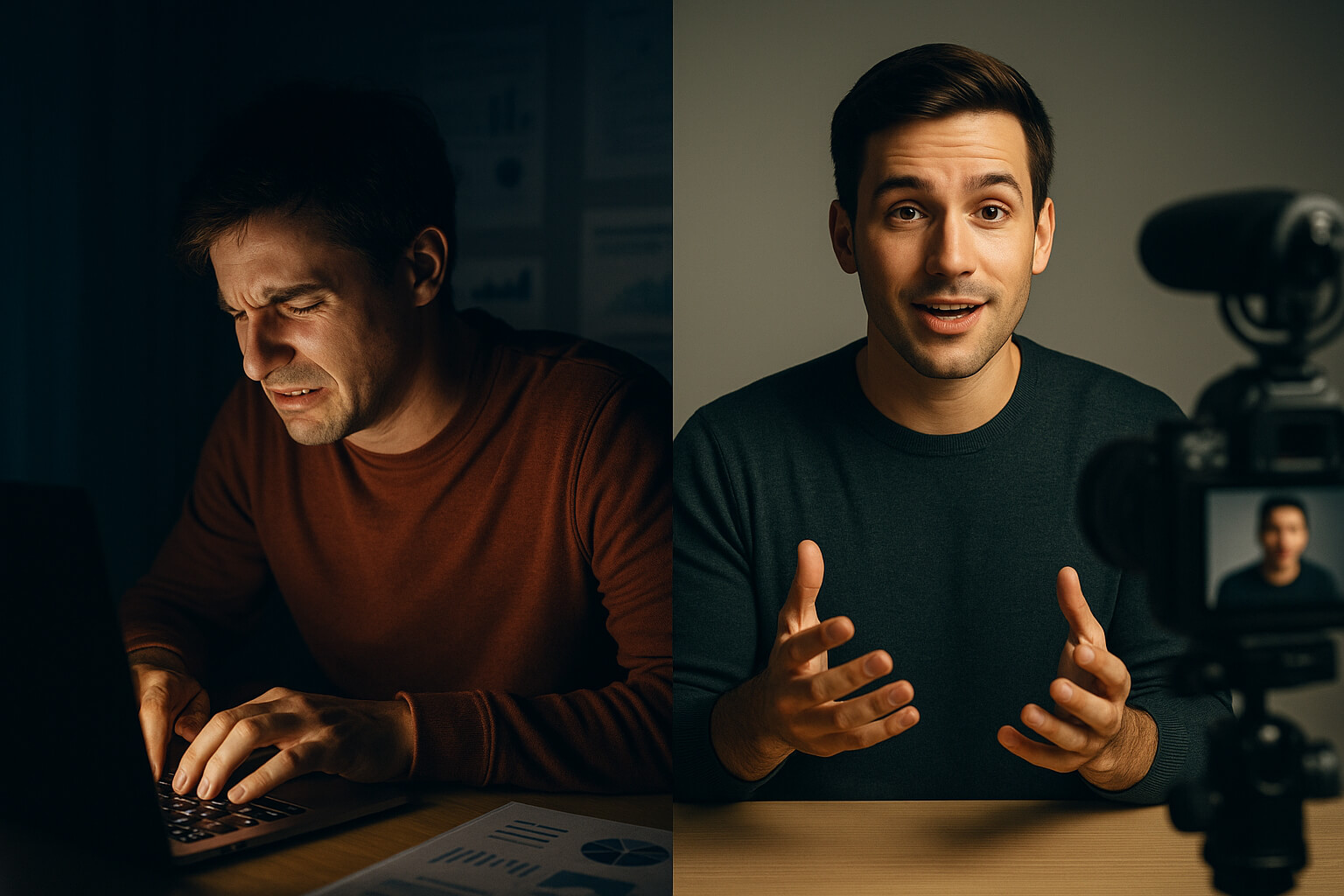
- Emotion: Thumbnails that convey emotion or action can evoke curiosity.
After considering these elements, I found that well-designed thumbnails can massively increase engagement. When creating thumbnails, focus on how each factor contributes to the overall aesthetic and clarity of your video’s message. A compelling thumbnail often leads to higher click-through rates and better performance.
The Psychology Behind Thumbnails
The art of designing thumbnails taps into understanding viewer psychology. By incorporating elements that resonate with potential viewers, such as relatable images or intriguing visuals, you can encourage more clicks and views.
Understanding viewer psychology helps me make informed decisions about thumbnail design. People often respond to visual cues that ignite curiosity and emotion. By creating thumbnails that resonate with your audience’s interests, you tap into a compelling motivation to click. The colors, fonts, and images I choose all play significant roles in setting expectations about the video content and influencing viewer behavior.
Overview of AI Technology in Thumbnail Creation
You may be surprised to learn just how much AI technology has transformed the way we create YouTube thumbnails. By employing advanced algorithms and machine learning, AI tools can analyze thousands of existing thumbnails and identify what elements drive viewer engagement. This allows you to create eye-catching visuals in a fraction of the time it would take using traditional design methods. As I’ve experienced in my own YouTube journey, this shift to AI-powered design can significantly enhance the quality of your thumbnails and, in turn, your click-through rates.
What is AI and How Does it Work for Thumbnails?
Even though the concept of artificial intelligence might seem daunting, it really boils down to software that learns from data. In thumbnail creation, AI tools assess various design elements like color, text, and imagery in successful thumbnails, helping you generate aesthetically pleasing designs tailored to your specific audience.
Benefits of Using AI for Thumbnail Design
Now, let’s talk about the benefits of AI in thumbnail design. AI dramatically speeds up the creation process by offering templates, suggesting color schemes, and even generating images that resonate with your target audience.
Work with AI tools not only saves time but also minimizes the learning curve for those without design experience. I’ve found that using AI allows me to focus on other aspects of my video production while still achieving highly effective thumbnails. Enhanced creativity is another perk; by analyzing what works well, AI provides you with options you might not have considered, broadening your design toolbox.
Current Trends in AI-Generated Visual Content
On the topic of trends, AI-generated visual content is rapidly evolving. This year, we are witnessing an increase in personalization and optimization of thumbnails based on viewer preference and behavior analytics, directly impacting engagement rates.
Trends indicate that platforms like YouTube are increasingly favoring thumbnails that strike a balance between professional aesthetics and engaging features. The use of human faces, bold colors, and emotional expressions has demonstrated higher click-through rates. Moreover, real-time optimization allows creators to tweak thumbnails based on ongoing viewer interactions, ensuring your content remains relevant and appealing. Understanding and leveraging these trends can place you ahead of the competition.
Step-by-Step Process for Creating Thumbnails with AI
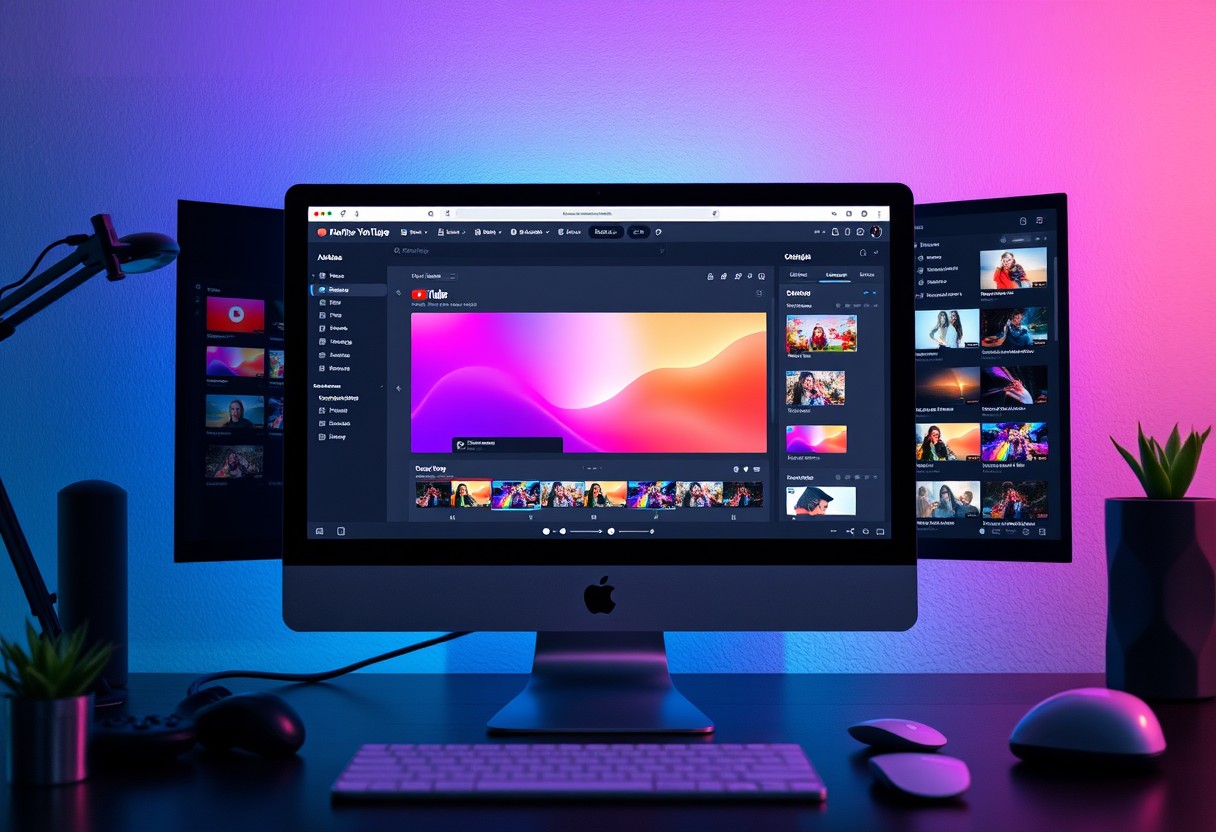
Not only is creating YouTube thumbnails with AI a streamlined process, but it can also be incredibly efficient if you follow a step-by-step approach. Here’s how to navigate it effectively:
| Step | Description |
| 1. Conceptualizing Your Thumbnail Idea | Think about what will attract your target audience and reflect the video’s content. |
| 2. Utilizing AI Tools for Image Generation | Use AI tools to create an initial image based on your idea. |
| 3. Refining and Customizing the AI-Generated Image | Edit the image in design software to enhance its visual appeal. |
| 4. Uploading Your Thumbnail to YouTube | Last step: incorporate your thumbnail into the video upload interface. |
Conceptualizing Your Thumbnail Idea
There’s something powerful about a well-thought-out thumbnail. I suggest you take the time to brainstorm ideas that not only grab attention but also align with the theme of your video. Consider incorporating elements that resonate with your audience, such as vivid colors and relatable imagery.
Utilizing AI Tools for Image Generation
Even with a solid concept in mind, the next step involves using AI tools to bring your vision to life. These tools allow you to generate images that adhere to your specified dimensions, often in just a few minutes.
This means you can leverage tools like Chat-GPT and other AI image generators to create unique visuals without submerging into complex design software. Provide a detailed prompt—incorporating things like colors and objects—that captures the essence of what you’re looking for and watch the AI produce a tailored image right before your eyes.
Refining and Customizing the AI-Generated Image
With your AI-generated image in hand, it’s time to enhance it further. I typically upload the image to a platform like Canva, where you can adjust the text, colors, and any additional elements to make it stand out.
Conceptualizing ways to add your brand’s identity can significantly improve the thumbnail’s attraction factor. Think about integrating your logo, using fonts that represent your style, and applying vibrant colors that catch the viewer’s attention. This personalization will help define your channel more clearly and increase viewer clicks.
Top AI Thumbnail Makers for YouTube Videos
Keep in mind that creating stunning YouTube thumbnails can significantly enhance your viewership and subscriber count. Here are some of the top AI tools I recommend for thumbnail creation.
Canva Pro: A Comprehensive Tool for Everyone
With Canva Pro, you gain access to a user-friendly interface packed with templates tailored for various niches. This tool allows you to customize your thumbnails easily, leveraging its drag-and-drop functionality to create eye-catching designs that attract viewers.
Adobe Express: Advanced Features for Professionals
With Adobe Express, your thumbnails can benefit from advanced features that cater to those seeking professional-quality designs. This powerful tool offers the following:
- Extensive library of templates and design elements.
- AI photo editing tools for enhanced imagery.
- User-friendly interface for quick customization.
| Features | Description |
|---|---|
| Template Variety | A diverse selection tailored to numerous content styles. |
| Real-Time Collaboration | Collaborate with teams for improved thumbnail creation. |
Adobe Express elevates your thumbnail-making process by allowing you to incorporate advanced design elements. It enables you to create polished thumbnails that stand out in the crowded YouTube space, making it an excellent choice for serious content creators.
- Custom branding options to ensure consistency.
- Pre-built layouts that save time while maintaining quality.
- Access to high-resolution images and graphics.
| Benefits | Insights |
|---|---|
| Professional Quality | Produces thumbnails that impress and attract clicks. |
| Time Efficiency | Streamlines the design process to get you to publish faster. |
Lighthouse: AI-Based Thumbnail Maker
Clearly, Lighthouse offers an innovative approach to thumbnail creation by leveraging AI to simplify the design process. It provides you with tools that generate stunning visuals in just a few clicks, ensuring your thumbnails are not only appealing but also effective.
Understanding Lighthouse means recognizing its ability to analyze successful thumbnails and apply those principles to your own creations. This AI-based tool focuses on user engagement, leveraging proven strategies to enhance click-through rates. You’ll appreciate its intuitive setup and how it helps you create attention-grabbing thumbnails quickly. By using Lighthouse, you can save time while ensuring your thumbnails echo the vibrant energy of your content—a vital aspect of maintaining and growing your audience.
Essential Design Principles for Eye-Catching Thumbnails
Once again, I want to stress the importance of thumbnail design in maximizing your video’s performance on YouTube. A well-crafted thumbnail can significantly increase your click-through rates and boost your subscriber count. To create thumbnails that grab attention, I follow some crucial design principles that I highly recommend you consider in your own designs.
Color Theory and Thumbnail Design
Now, incorporating effective color schemes can make or break your thumbnail. Colors evoke emotions and influence viewer behavior. For instance, using bold colors like red and yellow can create a sense of urgency, while blue and green evoke calmness. I often analyze thumbnails in my niche that perform well and notice a consistent color palette, which gives me inspiration for my own projects.
Font Selection and Text Placement
Clearly, choosing the right font and positioning your text smartly are key components in engaging your audience. The text should be easy to read and complement your thumbnail’s overall design. For my thumbnails, I’ve found that using a sans-serif font enhances readability, especially on smaller screens. Make sure to select a font that fits your brand identity.
Color plays a significant role in font selection as well. I typically choose contrasting colors for my text against the background to ensure maximum visibility. Additionally, placing text in a strategic location ensures that it doesn’t interfere with the central image. I often start by placing my titles at the bottom or the top of the thumbnail to maintain balance and focus.
Balancing Images and Text for Clarity
The right mix of images and text creates a harmonious thumbnail that captures attention without overwhelming viewers. A cluttered design can easily turn off your audience, so you need to maintain clarity in your composition. I always aim for a clean look, leaving some negative space to give your elements room to breathe.
Theory suggests that less is more when it comes to thumbnail design. By focusing on a single, striking image alongside minimal text, you can create a thumbnail that communicates your video’s value at a glance. I often use one strong image with a few impactful words instead of stuffing multiple elements, which has consistently proven to be more effective. This balance can significantly enhance your attractiveness to potential viewers.
Crafting Engaging Text and Titles for Thumbnails
All effective YouTube thumbnails share one common feature: engaging text and titles that quickly capture attention. Your viewers often make split-second decisions on whether or not to click, so the words you choose must evoke curiosity and excitement. By focusing on creating text that compels your audience to want to learn more, you can maximize your click-through rates and, ultimately, your subscriber count. In my experience, integrating bold phrases and relevant keywords into your thumbnails has dramatically improved my channel’s performance.
Using Action Words and Emotional Triggers
Using action words and emotional triggers in your thumbnail text can elevate viewer engagement. Action words like “discover,” “learn,” or “uncover” inspire curiosity and prompt viewers to take action. Additionally, tapping into emotions—such as excitement, urgency, or fear of missing out—makes your title resonate with your audience. By framing your content in a way that appeals to your viewers’ emotions, I’ve seen significant increases in my clicks and subscriber rates.
How to Keep Text Short and Impactful
Clearly, keeping your text short and impactful is key to creating an effective thumbnail. Aim for no more than five to six words, ensuring every word adds value. This brevity not only makes it easier for viewers to read quickly but also allows your message to shine through without overwhelming them. Additionally, prioritizing clarity is vital—when the text is concise and to the point, it enhances the overall visual impact of the thumbnail.
Short texts are memorable and allow your thumbnail to stand out in a crowded field. When I create thumbnails, I prioritize simplicity and clarity, avoiding clutter that distracts from the main message. Recall, less is often more, and when your text is focused, it can resonate more deeply with potential viewers.
Tips for Making Your Titles Stand Out
To make your titles stand out, I’ve found that focusing on a few key strategies can make a world of difference:
- Use strong action words that provoke curiosity.
- Incorporate emotional triggers to drive engagement.
- Utilize numbers or lists to suggest clear takeaways.
- Maintain a consistent brand voice throughout your thumbnails.
After implementing these tips, I’ve noticed that my thumbnails garner more attention and clicks, proving that a little strategy goes a long way.
Your titles should not just inform but also entice your audience. I recommend testing different variations of your thumbnail text to see which resonates best with your viewers. Incorporating feedback and analyzing performance can help refine your approach and lead to even greater engagement. Consistent testing has been a game-changer for me, allowing my YouTube channel to flourish as I adapt to what truly attracts my audience.
The Role of Branding in Thumbnails
After creating eye-catching thumbnails, I found that branding plays a pivotal role in attracting viewers and building a loyal audience. Thumbnails are often the first impression potential viewers have of your content, and establishing a strong brand presence can make a significant difference in click-through rates and subscriber growth. When done right, consistent branding can set your videos apart in a crowded platform like YouTube.
Creating a Consistent Visual Identity
Even a simple, cohesive design can make a huge impact on how your audience perceives your channel. By using similar styles, fonts, and colors across your thumbnails, you create a visual identity that viewers can immediately associate with your content. This consistency helps to reinforce your brand message and offers a familiar experience for returning subscribers.
Incorporating Logos and Brand Colors
Creating distinctive logos and utilizing your brand colors effectively can enhance your thumbnails significantly. Incorporation of these elements not only fosters familiarity but also ensures that your content stands out when viewers scroll through their feeds. I often use my logo in corners of my thumbnails to solidify my brand presence.
Understanding how to place your logo and use your brand colors strategically can elevate your thumbnails. Use your logo discreetly yet prominently on thumbnails for instant recognition. Choosing just a few key brand colors helps unify your visual appearance without overwhelming the viewer, making your content easily identifiable and reinforcing your brand image over time.
Building Recognition Through Repetition
Building recognition through consistent use of specific design elements encourages your audience to recognize your content immediately. This repetition not only helps viewers to identify your videos in their feeds but also cultivates a sense of familiarity and trust with your audience.
Recognition comes from creating a strong association between your thumbnails and your content. Using the same fonts, colors, and logo repeatedly enables audiences to catch on quickly. In my experience, the more consistent I am with my branding, the higher my engagement rates become, allowing me to enjoy steady growth in both clicks and subscribers over time.
Testing and Analyzing Thumbnail Performance
For anyone serious about enhancing their YouTube channel, testing and analyzing thumbnail performance is vital. By understanding how different thumbnails resonate with your audience, you can refine your approach and significantly boost your click-through rate.
A/B Testing: What It Is and How to Conduct It
One of the most effective ways to determine which thumbnails perform best is through A/B testing. This involves creating two variants of a thumbnail—A and B—and comparing their performance over a set period. Start by uploading both variants and monitor which one gains more views and engagement, adjusting your strategies based on the results.
Analyzing Engagement Metrics in YouTube Analytics
You need to dig deep into YouTube Analytics to truly understand how your thumbnails are impacting performance. Look for metrics like click-through rate (CTR), average view duration, and audience retention to gain insights into viewer behavior. Each of these factors can provide invaluable information about how engaging your thumbnails are and what kind of adjustments may be beneficial.
Testing the click-through rate is particularly enlightening; a higher CTR indicates that your thumbnail successfully captures viewer interest. By monitoring this alongside audience retention, I can assess not only whether viewers click on my videos but also if they find the content compelling enough to watch through to the end.
Adapting Strategies Based on Viewer Feedback
An crucial part of improving your thumbnails is adapting your strategies based on viewer feedback. Pay attention to comments and reactions on your video posts, as they can reveal what your audience enjoys or dislikes about your current thumbnails. These insights can inform your next design, helping you create more appealing and engaging visuals.
It’s important to utilize data from your audience’s feedback to refine your thumbnail design process continuously. Implementing changes based on direct viewer suggestions not only fosters a more engaging channel but also helps build a loyal community around your content.
Tips for Creating Thumbnails that Comply with YouTube Guidelines
To create effective YouTube thumbnails that align with platform guidelines, you need to be mindful of several factors. Here are some tips to keep in mind:
- Ensure your thumbnails are accurate representations of your video content.
- Avoid using inappropriate or harmful content.
- Stay clear of misleading text or visuals that don’t reflect your video’s message.
- Use high-quality images that enhance viewer engagement.
- Maintain a consistent brand style in all your thumbnails.
The goal is to create inviting and informative thumbnails that encourage viewers to click while adhering to YouTube’s standards.
Understanding YouTube’s Thumbnail Policies
On YouTube, thumbnails are subject to specific policies to ensure content is appropriate for all audiences. You should familiarize yourself with these guidelines to avoid any potential penalties or content removal. These include restrictions on violence, hate speech, and adult content, making it important to create thumbnails that are suitable and aligned with community standards.
Avoiding Misleading or Clickbait Thumbnails
Tips for creating thumbnails that do not mislead your audience include clearly representing what your video entails. Using clickbait tactics may offer short-term gains, but it can harm your channel’s credibility in the long run.
YouTube emphasizes transparency in content representation. Thumbnails that are overly sensationalized or unrelated to the video’s content may result in increased viewer bounce rates, negatively affecting your video’s engagement metrics. I recommend ensuring your visuals and text give a genuine preview of what viewers can expect, fostering trust and encouraging long-term growth.
Best Practices for Safe Image Selection
Even when selecting images for your thumbnails, be conscious of copyright laws and community guidelines. Opt for images that you have permission to use or that you create yourself to avoid any potential issues.
Thumbnail choices can significantly impact your video’s performance, so carefully consider each aspect of your selection. I often choose images that are vivid and engaging, while also ensuring they don’t infringe on copyright or contain any offensive material. This approach not only maintains compliance with YouTube’s policies but also boosts your channel’s authenticity and viewer trust.
Enhancing Thumbnails with Additional Graphics
Not every thumbnail is complete with just a central image; enhancing your designs with additional graphics can make them stand out even more. These elements can help convey your video’s message at a glance and draw viewers in. Whether it’s playful icons or strategic backgrounds, adding the right graphics can significantly elevate your thumbnail’s appeal and performance on YouTube.
Adding Icons and Illustrations for Impact
The use of icons and illustrations can dramatically enhance the visual storytelling of your thumbnail. By incorporating relevant graphics, you add context and intrigue, enticing viewers to click on your video. For instance, if your video is about tech gadgets, a small illustration of a gadget can immediately communicate the topic.
The Role of Background Images in Thumbnails
Even the background of your thumbnail plays a vital role in catching the eye. A well-chosen background image sets the stage for your main subject and helps create a cohesive design that’s easy to digest. Opting for dynamic, colorful backgrounds can capture attention while remaining relevant to your content.
Graphics should always complement your main image while enhancing visual hierarchy. Using backgrounds that are too busy may distract from your focal point, but a subtle yet intriguing backdrop can make your thumbnail pop. According to my experience, those who invest time in selecting backgrounds see a marked increase in engagement, leading to more clicks and subscribers over time.
Using Borders and Frames to Create Focus
Icons and frames can serve as visual boundaries that help highlight your main content. Framing your thumbnail with a bold border can catch the eye and direct attention to the most important elements. This technique is particularly useful to differentiate your thumbnails from others on the crowded YouTube homepage.
A well-designed border not only provides structure but also enhances your overall branding. By consistently using a specific style or color, you can create a sense of familiarity for your audience. From my observations, utilizing borders effectively can improve click-through rates, as viewers often appreciate visuals that guide their focus and improve comprehension of what the video is about. So don’t hesitate to experiment with frames and borders to find what resonates best with your audience.
Time-Saving Techniques for Thumbnail Creation
Despite the importance of eye-catching thumbnails to increase clicks and subscribers, creating them can be time-consuming. Luckily, there are several time-saving techniques that I’ve discovered to help you streamline your thumbnail creation process. By utilizing templates, scheduling your work, and implementing batch processing, you can produce engaging thumbnails more efficiently and effectively.
Utilizing Templates and Presets
You can save a significant amount of time by using pre-designed templates and presets available in various design tools. Platforms like Canva Pro offer an extensive library of professional templates tailored for YouTube thumbnails. By starting with a base template, you only need to customize your image and text, allowing you to focus on making your thumbnails eye-catching without starting from scratch.
Creating a Thumbnail Creation Schedule
Templates can help speed up the process, but having a systematic approach also makes a significant difference. By establishing a thumbnail creation schedule, you can allocate dedicated time for brainstorming and designing thumbnails. This not only keeps your workflow organized but also ensures that you consistently create compelling thumbnails for every video in advance.
Understanding your content calendar is key to efficient thumbnail production. Plan your thumbnails at least a week in advance, and allocate specific time slots for brainstorming ideas, designing, and adjusting based on viewer responses. This proactive approach helps maintain *balance* in your creative process, ensuring that you develop high-quality designs without being rushed when it’s time to upload your videos.
Batch Processing Thumbnails for Efficiency
Little did I realize how much time I could save by implementing batch processing for my thumbnails. Instead of creating them one at a time for each video, I began designing multiple thumbnails in one sitting. This method allows me to get into a creative flow, generating ideas and designs more rapidly.
It can be highly effective to set aside a specific time to focus on multiple thumbnails, leveraging your momentum and inspiration while the ideas are fresh. Begin by drafting all your thumbnails based on previously scheduled content, then refine them in one session. This greatly reduces the *stress* of last-minute designs and helps you ensure consistent quality across all your video uploads. Plus, it opens up more time for other critical parts of video production!
Avoiding Common Mistakes in Thumbnail Design
Unlike other aspects of video creation, thumbnails are often overlooked in terms of their importance. However, avoiding common mistakes in thumbnail design can significantly impact your video’s performance. I’ve faced these pitfalls myself, and I want to share insights so you can steer clear of them.
Overcomplicating Your Design
To create effective thumbnails, simplicity is key. When I first started designing thumbnails, I often tried to include too many elements, overwhelming viewers instead of attracting them. Stick to a clean and clear design that communicates the essence of your video at a glance.
Ignoring Your Target Audience’s Preferences
Assuming that what worked for me will also work for you can lead to mistakes in your thumbnail designs. It’s imperative to conduct research on your specific audience and understand their preferences. Engaging with your community, and following the trending designs within your niche can increase your chances for success.
Another important aspect is to analyze thumbnails that get clicks within your niche. Are there particular colors, fonts, or styles that resonate with viewers? By constantly evaluating and adapting to what your audience appreciates, you can create thumbnails that drive engagement.
Neglecting Mobile Optimization
One of the biggest mistakes you can make is not considering mobile users in your thumbnail design. Given that a vast majority of YouTube views come from mobile devices, I’ve found that designing with smaller screens in mind is imperative. Thumbnails should remain impactful and legible even in a compact format.
Audiences are less likely to click on thumbnails that are cluttered or difficult to read on mobile screens. By ensuring your text is large and clear, and that the primary image is visible, you can significantly enhance your thumbnails’ appeal to mobile viewers. After all, a well-optimized design can lead to higher click-through rates and increased subscriber counts.
Future Trends in AI and Thumbnail Design
Now, as we look toward the future, understanding the evolving landscape of AI in thumbnail design is vital. The convergence of creative tools and advanced algorithms promises even more intuitive and powerful ways to make engaging thumbnails that capture attention.
Emerging AI Technologies That Will Shape Thumbnail Creation
Trends in AI technology, such as natural language processing and machine learning, are revolutionizing how we create thumbnails. With tools that can analyze vast amounts of data on successful designs, we can generate tailored, high-impact thumbnails faster than ever. This means you can focus more on content creation while AI handles the visual appeal.
How to Stay Ahead of the Competition
Competition in the YouTube space is fierce, and innovation is key to standing out. I recommend continually learning about new AI tools and techniques that emerge in thumbnail design. By incorporating trending elements and styles identified through data analysis, you can ensure your thumbnails are not only relevant but also enticing to your target audience.
The fast-paced world of YouTube means that if you want to keep your edge, you need to embrace change. Explore communities and resources dedicated to AI design and stay updated on industry trends. Utilize platforms like Canva to leverage new AI features that enhance your creativity while saving time. By being proactive about your thumbnail strategy, you can capture more clicks and foster subscriber growth effectively.
Predictions for the Next Generation of YouTube Thumbnails
That said, looking forward, I believe we’ll see a shift toward hyper-personalized thumbnails driven by AI-driven data insights. These thumbnails will not only be visually striking but also aligned with viewer behaviors and preferences.
Predictions indicate that the next generation of thumbnails will harness AI to optimize every element—color schemes, fonts, and imagery—based on real-time analytics. This data-centric approach means that your thumbnails can adapt to trends dynamically, enhancing both click-through rates and viewer engagement. As the market evolves, being equipped with this advantage will become increasingly important for content creators, making it vital to stay informed and agile in your thumbnail design strategy.
Conclusion
Summing up, creating eye-catching YouTube thumbnails with AI is a game changer for enhancing your channel’s appeal and increasing viewer engagement. By using tools like Chat-GPT and Canva, I’ve streamlined my thumbnail creation process to save time and maximize impact. You now have the insights to experiment with your own designs, customize elements, and take advantage of AI features that simplify the task. With a bit of practice, you too can craft thumbnails that not only attract clicks but also boost your channel’s growth.
FAQ
Q: What are the best AI tools to create YouTube thumbnails?
A: Some of the top AI tools for creating YouTube thumbnails include Canva Pro, Snappa, Adobe Express, Fotor, and Visme. Each of these tools offers user-friendly interfaces, a variety of templates, and customization options that can help you design engaging thumbnails quickly and effectively.
Q: How important are YouTube thumbnails for viewer engagement?
A: YouTube thumbnails play a significant role in attracting viewers. An eye-catching thumbnail can significantly improve click-through rates and overall engagement. Thumbnails serve as the first impression of your video, so investing time in creating visually appealing ones can lead to increased views and subscribers.
Q: Can I create a YouTube thumbnail without any design experience?
A: Absolutely! Many AI-based thumbnail maker tools are designed for users with little to no design experience. Tools like Canva Pro and Snappa offer pre-made templates and simple drag-and-drop features that make the design process straightforward. You can easily customize templates without needing to learn complex design skills.
Q: What dimensions should I use for a YouTube thumbnail?
A: The ideal dimensions for a YouTube thumbnail are 1280 x 720 pixels, with a minimum width of 640 pixels. This aspect ratio ensures that your thumbnails look great across various devices. Additionally, it’s good practice to keep the file size under 2MB and use a popular image format such as JPEG, GIF, or PNG.
Q: How can I make my thumbnails stand out?
A: To make your thumbnails stand out, consider using vibrant colors, eye-catching fonts, and compelling imagery. Incorporating human faces often increases clicks, so including a close-up of someone’s face can be helpful. Adding a catchy title or text overlay that highlights the video’s main point can also grab attention effectively.
Q: Is it necessary to use AI for creating thumbnails?
A: While AI tools can streamline the thumbnail creation process, it is not strictly necessary to use them. You can create thumbnails manually using graphic design software if you prefer. However, AI tools can speed up the process and provide suggestions based on data-driven insights, making it easier to achieve a professional look.
Q: How can I optimize my thumbnail for better performance?
A: To optimize your thumbnail, conduct research on your niche to identify successful designs and styles that attract clicks. Utilize clear text, harmonious color schemes, and include elements that convey your video’s topic. Testing different thumbnails over time can help you understand what resonates best with your audience for improved performance.